Hela controls and button mapping
The official Xbox and PlayStation diagrams from the October 2026 demo, plus the demo’s keyboard and mouse prompts. These are the best available mappings before launch; the final game may change or add bindings.
Glide is a hold. Grapple is a hold.
The most common early confusion is the difference between the two shoulder actions. Hold the glide input in the air to inflate Froggy and float. Hold the grapple input near an anchor to attach and swing. Release, then hold again to change anchor points.
On the controller, glide is LT/L2 and grapple is RT/R2. On the demo’s keyboard and mouse layout, both use the mouse button depending on whether you are in the air or near a hook.
Xbox and PlayStation layouts
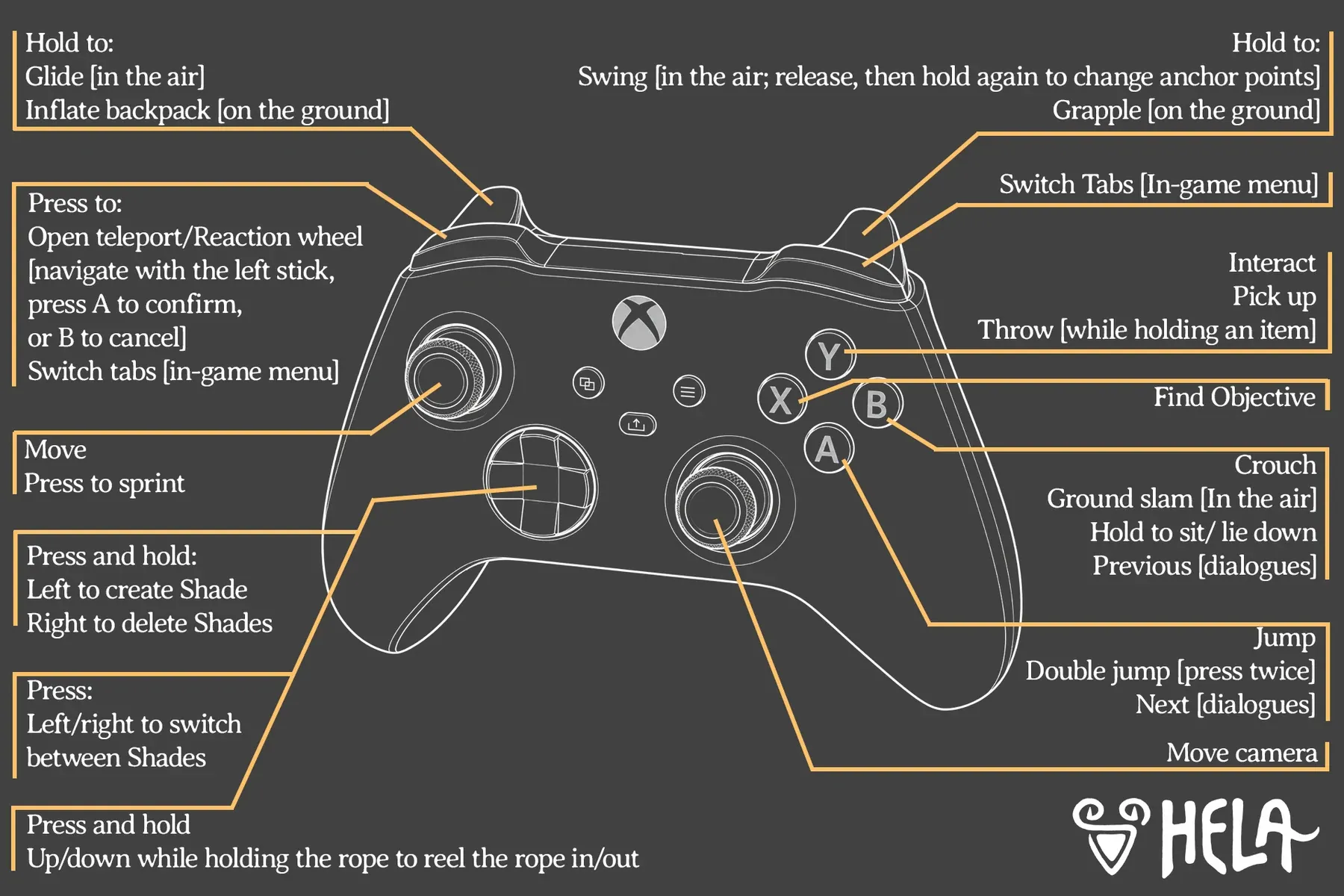
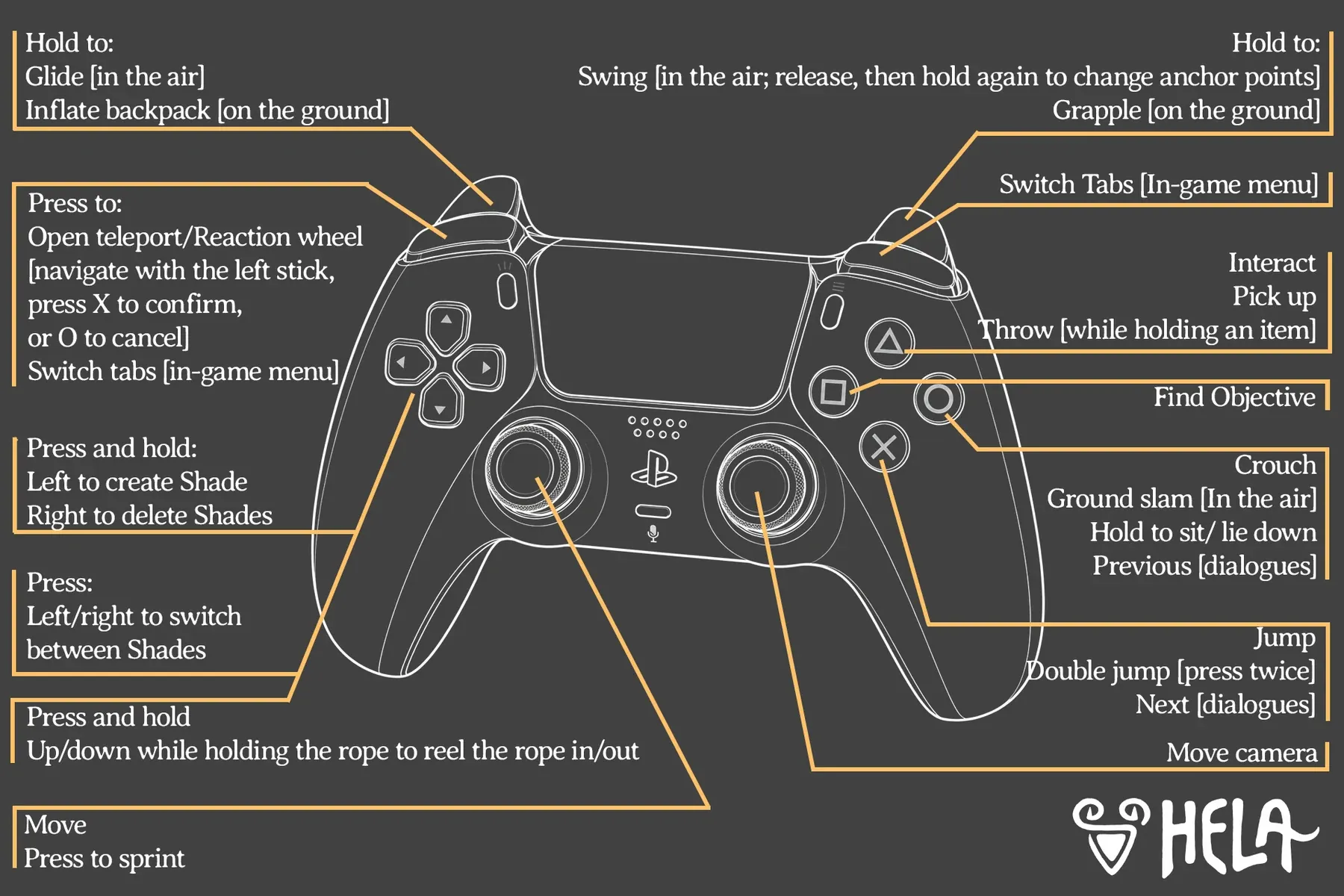
Every mapped action
| Action | Xbox | PlayStation 5 |
|---|---|---|
| Move | Left stick | Left stick |
| Sprint | Press left stick | Press L3 |
| Jump / double jump | A | Cross |
| Crouch / ground slam / sit / previous dialogue | B | Circle |
| Interact / pick up / throw | X | Square |
| Find objective | Y | Triangle |
| Glide / inflate backpack | Hold LT | Hold L2 |
| Swing / grapple | Hold RT | Hold R2 |
| Open teleport / reaction wheel | LB | L1 |
| Switch menu tabs | RB | R1 |
| Create Shade / switch to Shade | Hold / press left or right on d-pad | Hold / press left or right on d-pad |
| Delete Shades | Hold right on d-pad | Hold right on d-pad |
| Reel rope in / out | Hold up / down while holding rope | Hold up / down while holding rope |
| Move camera | Right stick | Right stick |
The demo’s PC prompts
These prompts come from hands-on coverage of the October 2026 PC demo. They are not an official final keybind list, and the retail game may allow remapping.
Three things to try before you change a setting.
- Check your altitude. Glide only works in the air. Grapple needs an anchor within range.
- Let go, then hold again. The swing system lets you change anchor points mid-flight.
- Use the Shade wheel. On a controller, Shades are managed from a wheel, not a single button.
A full remapping menu, subtitle sizing and camera comfort options have not been confirmed. Do not assume the demo bindings are final or fully remappable.
Accessibility notes